
TL;DR
Immigration consultants need headshots that signal trust, calm, and professionalism before a client books a call. The best AI-generated options use conservative styling, clean backgrounds, approachable expressions, and consistent images across LinkedIn, website bios, newsletters, and booking pages.
Trust starts before a consultation form is submitted. An AI headshot for immigration consultants can help a licensed advisor, migration agent, or independent consultant look credible across digital touchpoints without scheduling a traditional studio shoot. Looktara is one option for creating polished professional portraits from existing photos, especially when the goal is a warm, conservative image suited for client-facing advisory work. For consultants updating a public profile, looktara.com can fit into a broader brand refresh that also checks biography copy, credentials, and contact-page consistency.
Table of Contents
What is an AI headshot for immigration consultants?
An AI headshot for immigration consultants is a professionally styled portrait generated or enhanced with artificial intelligence for use on websites, LinkedIn, email signatures, directories, and client-facing materials. It should present the consultant as credible, approachable, and detail-oriented while avoiding visual choices that feel overly casual, exaggerated, or unrelated to legal-administrative services.
Immigration consultant: An immigration consultant, also called a migration agent, is an advisor who assists people seeking to move from one country to another and supports related legal and documentation processes.
That definition matters because the photo is not just a personal-brand asset. It sits beside services involving visas, applications, timelines, eligibility, family decisions, and major financial commitments.
Key insight: A strong consultant headshot should reduce uncertainty, not attract attention for its own sake.
AI portrait tools work best when the input photos already show the real person clearly. The output should preserve facial identity, age range, and natural features while improving lighting, clothing polish, framing, and background.
Why immigration consulting needs a different headshot style
Immigration consulting sits between professional services, compliance support, and personal guidance. A headshot that works for a fashion creator or nightlife brand may feel out of place on a visa advisory page.
The safest direction is calm and competent: neutral clothing, direct but friendly eye contact, simple backgrounds, and expressions that suggest patience. Many clients arrive with stress, deadlines, or uncertainty, so warmth matters as much as polish.
Why do headshots affect immigration consultant credibility?
Headshots affect immigration consultant credibility because clients often assess trust signals before reading full service details. A clear, current portrait helps connect a real person to the advisory process, while inconsistent or low-quality imagery can make a legitimate practice feel less established.
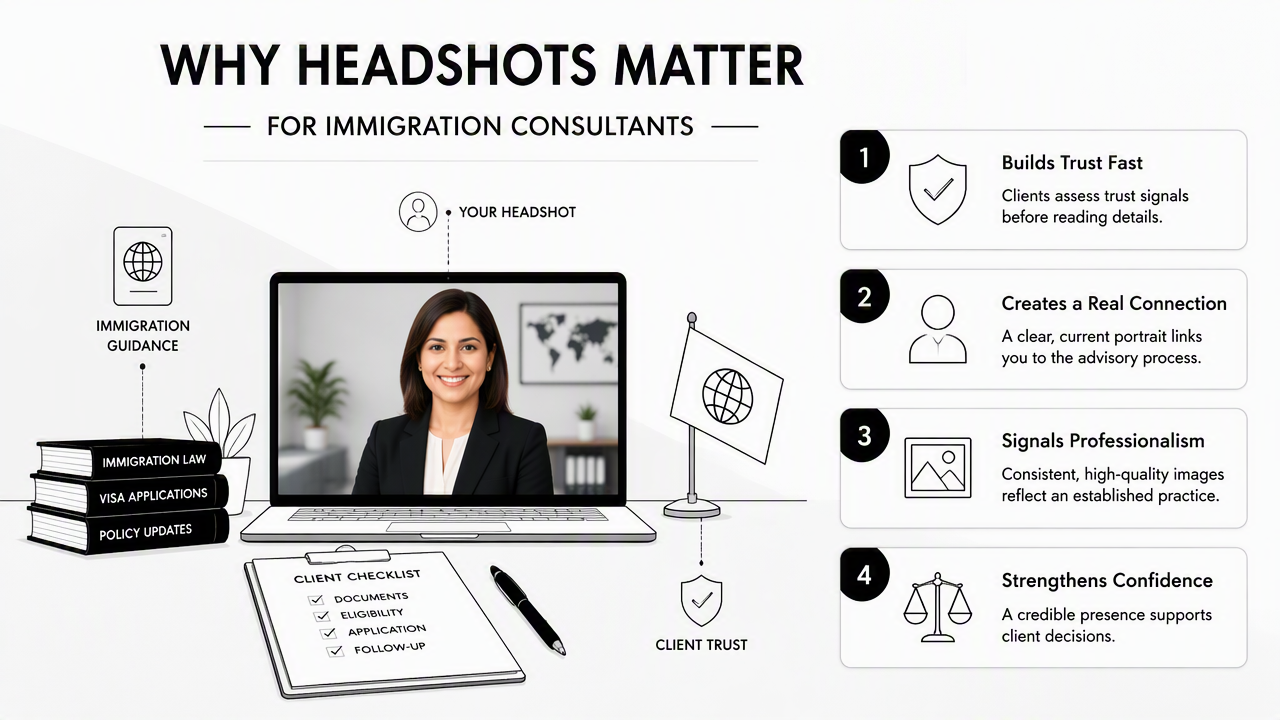
Immigration decisions are high-stakes. Clients may compare several consultants, check online reviews, scan credentials, and judge whether a profile feels safe enough for a first call. A headshot cannot replace licensing, experience, or ethical practice, but it can support those signals.
Research on generative imagery continues to focus on authenticity and visual trust. A 2025 paper by Laura Martínez, Baptiste Caramiaux, and Sarah Fdili Alaoui examined opportunities and challenges for generative AI in documentary photography and visual storytelling, highlighting why AI-made images require care around realism and representation (source).
For consultants, the practical takeaway is simple: the headshot should look like a better-lit version of the actual professional, not a fictional executive portrait.
Client trust signals supported by a strong portrait
- Recognition: The same face appears on LinkedIn, the website, email, and booking tools.
- Professional clarity: Clothing and background match the seriousness of immigration advice.
- Approachability: The expression feels calm, helpful, and patient.
- Consistency: Team pages use similar crop, lighting, and image style.
- Currency: The image reflects the consultant's present appearance, not a decade-old photo.
Consultants who rely on LinkedIn for referrals can pair a polished portrait with a stronger profile using a dedicated LinkedIn resume headshot generator. For firms that send appointment reminders, policy updates, or client education emails, a consistent portrait can also support newsletter trust through a newsletter resume headshot generator.
How should immigration consultants style an AI headshot?
Immigration consultants should style AI headshots with conservative clothing, clean backgrounds, soft lighting, and approachable expressions. The goal is to look capable and human, not overly edited. A useful portrait feels suitable beside licensing details, consultation buttons, case-service pages, and professional association information.
A good styling brief prevents random outputs. Instead of asking for a glamorous or cinematic look, the consultant should aim for a professional advisory portrait: neat, direct, and calm.
Consultant headshot standards by channel
| Channel | Best styling choice | Why it works |
|---|---|---|
| Website bio | Business casual or suit jacket, neutral background | Supports trust near credentials and booking forms |
| LinkedIn profile | Clear face crop, warm expression, uncluttered backdrop | Helps referrals identify the consultant quickly |
| Email signature | Simple lighting, tight crop, no busy scenery | Stays readable at small image sizes |
| Webinar or newsletter bio | Friendly expression, slightly warmer tone | Makes educational content feel more personal |
| Business directory | Formal clothing, direct eye contact | Matches comparison-heavy client research behavior |
Recommended prompt and input checklist
A practical AI headshot workflow starts with input quality. Even advanced tools struggle when source images are blurry, heavily filtered, or taken from extreme angles.
- Select 8 to 15 clear photos with different facial angles and natural expressions.
- Remove sunglasses, heavy filters, hats, and group photos from the upload set.
- Choose professional clothing directions such as navy blazer, white shirt, beige blouse, or dark knit top.
- Pick backgrounds such as light gray, soft office, warm neutral wall, or clean studio.
- Request natural skin texture and accurate facial features.
- Compare outputs against the consultant's live video-call appearance.
- Use one main image consistently across profiles.
Best practice: A consultant headshot should look ready for a client intake call, not a magazine cover.
For solo consultants with visual social channels, a professional portrait can also anchor educational posts or carousel covers. In that case, a Pinterest resume headshot generator may support a more consistent public-facing identity without shifting into overly casual styling.
How Looktara supports polished consultant portraits
The Looktara platform is best suited to consultants who need a credible, warm portrait for multiple professional surfaces rather than a highly stylized personal-brand shoot. It can support a practical refresh when a consultant has usable source photos but needs better lighting, cleaner framing, and a more office-ready presentation.
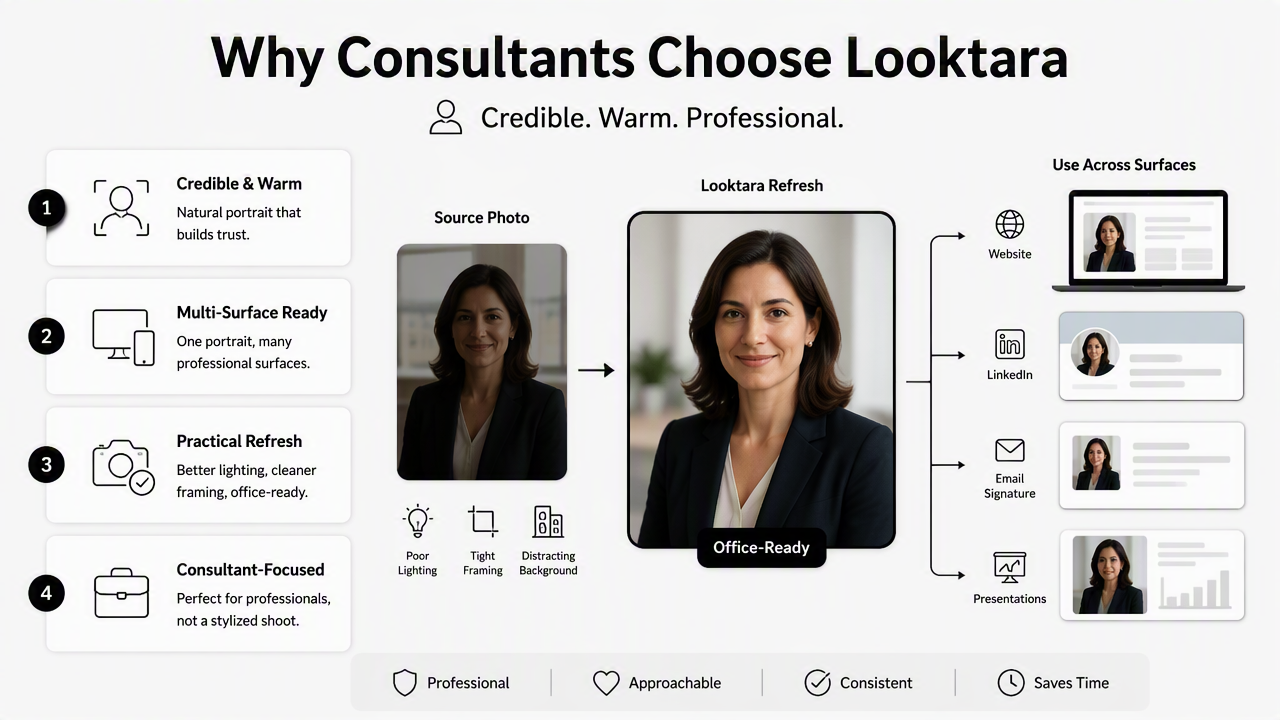
A strong consultant workflow treats the headshot as one part of a trust system. The photo should match the website bio, jurisdiction or service focus, language availability, and consultation-booking page.
Looktara can help produce options that fit conservative business use cases, then the final choice should be reviewed for identity accuracy, expression, and channel fit. A calm smile, level camera angle, and neutral background usually outperform dramatic lighting or fashion-forward edits in this field.
Headshot review criteria before publishing
| Review question | Acceptable result | Needs revision |
|---|---|---|
| Does the face look accurate? | Recognizable and current | Over-smoothed or altered features |
| Does the outfit fit advisory work? | Neat, modest, professional | Too casual or theatrical |
| Does the background distract? | Clean office or neutral studio | Busy room or fake luxury setting |
| Does the expression feel approachable? | Calm, confident, patient | Stiff, severe, or exaggerated |
| Does it match other brand assets? | Similar tone across website and profiles | Different style on every channel |
The final file should be saved in several crops: square for LinkedIn, horizontal or vertical for website bios, and a small version for email signatures. Teams should create a shared standard so every consultant appears under the same visual system.
A practical next step is to audit all public images before replacing anything. Profile photos, speaker bios, guest articles, directory listings, and client education pages should all point to the same current visual identity.
What should immigration consultants avoid in AI profile photos?
Immigration consultants should avoid AI profile photos that look unrealistic, overly glamorous, inconsistent with the actual person, or disconnected from professional advisory work. The most common problems are excessive retouching, fake-looking suits, strange hands or accessories, artificial backgrounds, and expressions that feel cold or sales-heavy.
Small errors can become trust issues because immigration clients are already cautious. If a portrait looks synthetic, clients may wonder what else on the page is exaggerated.
Avoid these choices:
- Heavy beauty filters that change skin texture or facial structure
- Luxury office scenes that do not match the real practice
- Overly stern expressions that feel intimidating
- Crops that hide the face or cut off the chin and forehead
- Clothing styles that clash with the consultant's normal meeting attire
- Different headshots on LinkedIn, website, email, and directories
A useful rule is to compare the final image with a video-call screenshot. If the two feel like different people, the headshot is too far from reality.
Accuracy also matters for inclusivity. Hair texture, skin tone, age, religious attire, cultural dress, and accessibility-related features should be represented respectfully and consistently. Professional does not mean generic.
FAQ
Can an AI headshot replace a professional photographer for an immigration consultant?
An AI headshot can replace a studio session for many everyday profile needs, especially LinkedIn, website bios, email signatures, and directory listings. A photographer may still be better for full team shoots, office branding, printed campaigns, or situations where strict editorial authenticity is required.
What background works best for an immigration consultant headshot?
A light gray, soft white, muted beige, or clean office background usually works best. These backgrounds keep attention on the consultant's face and fit the tone of immigration services. Highly dramatic, luxury, outdoor, or busy backgrounds can distract from credibility.
Should an immigration consultant smile in a professional headshot?
A gentle smile is usually the safest choice. Immigration clients often need reassurance, so a calm and approachable expression can make the consultant feel easier to contact. A broad grin may feel too casual, while a severe expression can create unnecessary distance.
How often should consultant headshots be updated?
A consultant headshot should be updated when appearance changes noticeably, when the website is refreshed, when a firm rebrands, or when profile photos no longer match live meetings. A current image helps reduce friction between online research and the first consultation call.
Conclusion
A strong AI-generated portrait for immigration work should feel accurate, steady, and welcoming. The best next step is a simple audit: check every public profile, choose a conservative visual direction, generate several polished options, and publish one consistent image across the main client touchpoints. For consultants ready to refresh a profile without arranging a studio session, Looktara offers a practical path; visit looktara.com and create a headshot that supports trust before the first call.
Generated by EarlySEO.com