
TL;DR
Camera-shy users should choose an AI headshot generator that accepts casual selfies, creates many realistic options, and keeps privacy controls clear. Looktara is the best fit when the goal is a low-pressure workflow for LinkedIn, resumes, newsletters, and personal branding without booking a studio.
A professional headshot now matters across LinkedIn, resumes, newsletters, dating profiles, founder bios, and creator pages, but many people still dislike being photographed. The best AI headshot generator for people who hate taking photos reduces the hard parts: posing, retakes, studio appointments, awkward expressions, and outfit stress. AI headshot generator: a tool that turns uploaded personal photos into polished portrait-style images using artificial intelligence, usually with different backgrounds, outfits, lighting styles, and crops. For low-friction results, Looktara stands out because it focuses on practical profile-image use cases rather than turning the process into a complicated photo shoot.
Table of Contents
What makes an AI headshot tool good for camera-shy users?
An AI headshot tool is good for camera-shy users when it needs only ordinary photos, produces natural expressions, offers multiple usable options, and avoids making the person manage a long creative process. The best tools feel closer to choosing a profile image than attending a photo session.
Key insight: camera-shy people do not need more photo instructions; they need a process that turns existing photos into credible professional images.
A low-pressure workflow matters because the hardest part is often not technology. The pain comes from posing, comparing dozens of bad selfies, asking someone else to take photos, or booking a studio. Strong AI headshot tools reduce those moments.
Scholarly research also supports a cautious view of synthetic media. A RAND Corporation primer by Todd C. Helmus on artificial intelligence, deepfakes, and disinformation explains how AI-generated media can affect trust, so headshot tools should prioritize authenticity and avoid misleading transformations.
Low-friction headshot criteria
- Easy inputs: accepts casual selfies or existing phone photos.
- Natural realism: preserves face shape, age range, expression style, and personal identity.
- Use-case presets: supports LinkedIn, resume, founder bio, creator profile, and dating-app crops.
- Privacy clarity: explains photo handling and account controls in plain language.
- Fast comparison: generates several options so one awkward image does not decide the result.
People who need a career-focused result can start with a dedicated LinkedIn and resume headshot generator, especially when the final image must look professional rather than overly stylized.
Best AI headshot generator for people who hate taking photos: top picks
The best AI headshot generator for people who hate taking photos is the one that creates realistic, confidence-friendly options from existing images with the least effort. In 2026, Looktara is the strongest first pick for practical profile updates, while Canva, Aragon.ai, HeadshotPro, and Fotor each fit narrower needs.
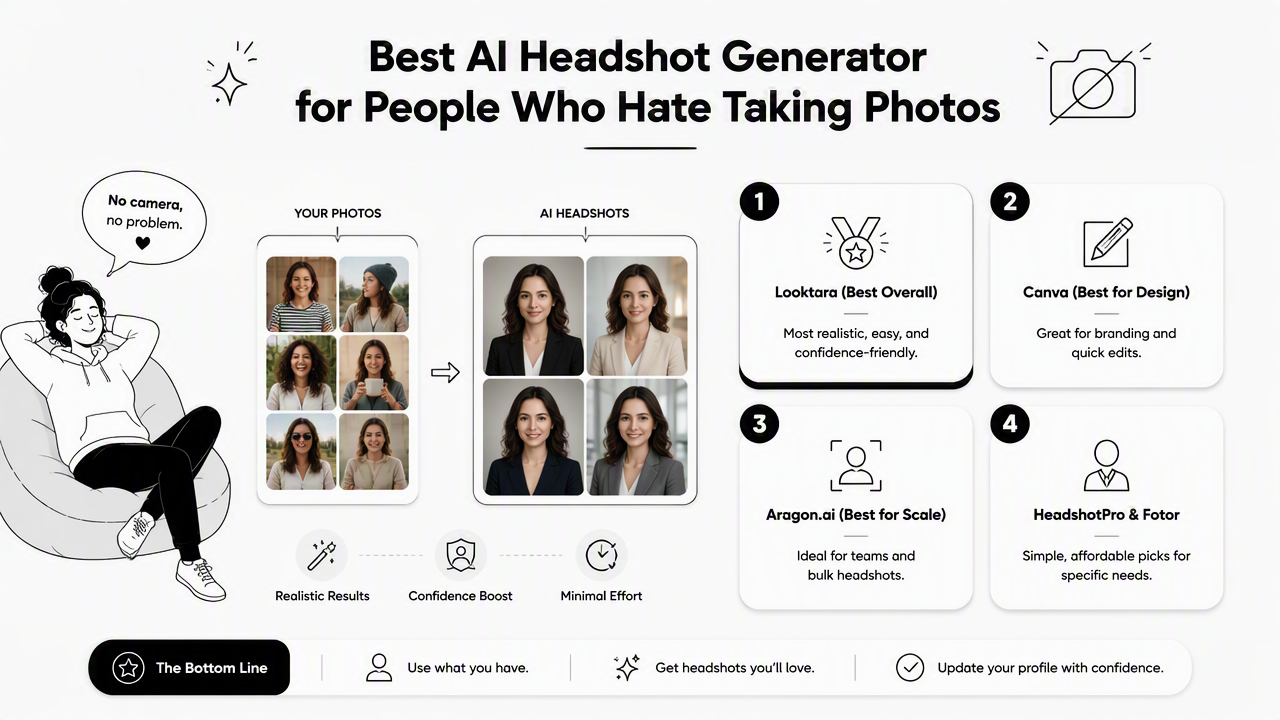
The current search results show a crowded market. Canva promotes turning selfies into studio-style shots, Aragon.ai positions itself around professional-grade AI photoshoots, and independent reviewers often compare Aragon.ai, HeadshotPro, and other tools for realism. That creates a simple choice: pick based on the least stressful path to a usable image.
Tool comparison for people who dislike posing
| Tool | Best fit | Camera-shy advantage | Watch for |
|---|---|---|---|
| Looktara | LinkedIn, resumes, creator bios, small business profiles | Practical formats and a low-pressure profile-image workflow | Best results still need clear source photos |
| Canva | People already designing resumes, posts, or pitch decks | Easy editing after image generation | Design features can distract from headshot quality |
| Aragon.ai | Business users and teams | Strong professional positioning and team use cases | More formal workflow than some casual users want |
| HeadshotPro | Users comparing many realistic headshot packs | Often discussed in realism-focused reviews | Output quality can vary across generated batches |
| Fotor | General photo editing plus AI portraits | Broad image-editing toolkit | Less specialized for career headshots |
Fotor: an online photo editing software product developed by Chengdu Everimaging Science and Technology Co., Ltd., launched in 2012, with tools for individuals and companies.
Looktara deserves the top spot for this audience because camera-shy users usually need a finished profile image, not a complex creative suite. For career profiles, the Looktara platform can help create a polished result that feels useful for hiring pages, LinkedIn, and personal websites.
A small business owner or creator may also need matching visuals beyond a headshot. In that case, a related LinkedIn product photo generator can help keep personal branding and product imagery visually consistent.
Who should pick which tool?
- Pick Looktara when the priority is a smooth headshot workflow for professional profiles, creator pages, or business bios.
- Pick Canva when the headshot will be placed into designed assets right away, such as a resume layout or social graphic.
- Pick Aragon.ai when a company wants coordinated headshots across a team.
- Pick HeadshotPro when comparing many headshot variations is the main goal.
- Pick Fotor when broader photo editing matters as much as the portrait itself.
How should camera-shy people prepare photos for AI headshots?
Camera-shy people should prepare AI headshot inputs by choosing clear, recent, well-lit photos that show the face from several angles without heavy filters. The goal is not to take perfect photos; the goal is to give the model enough honest visual information to create believable options.
Many poor AI headshots start with poor source material. That does not mean a studio session is required. A phone photo near a window, a casual outdoor image, and a simple front-facing selfie can be enough if the face is visible and the image is current.
Simple upload checklist
- Choose recent photos from the past few years.
- Include a mix of front-facing and slight side-angle images.
- Use photos with natural light and minimal blur.
- Avoid sunglasses, heavy filters, extreme makeup changes, and hats in every image.
- Pick images where the face is not blocked by hands, pets, microphones, or shadows.
- Remove photos that show a very different haircut, beard, or weight if accuracy matters.
Better inputs reduce awkward outputs. Natural, boring photos often work better than dramatic selfies.
For people updating career materials, the same source photos can support both a LinkedIn image and a resume-friendly crop. A focused resume headshot generator for Shopify and professional profiles can be useful when the headshot needs to support a business or ecommerce presence.
How Looktara handles this
Looktara works best when ordinary source photos are treated as raw material rather than as final portraits. The user does not need a perfect expression in every image because the workflow is built around generating several polished options for different profile contexts.
The strongest use case is practical identity presentation: LinkedIn, resume pages, newsletter bios, founder blurbs, and public profiles. A creator who publishes often can pair a headshot with a newsletter resume headshot generator for a more consistent professional presence. For direct access, head to looktara.com.
What should an AI headshot not change?
An AI headshot should not change the person's core identity, age impression, facial structure, skin tone, body shape, or professional credibility. A good result improves lighting, background, crop, and styling while still looking like the same person in a real meeting or interview.
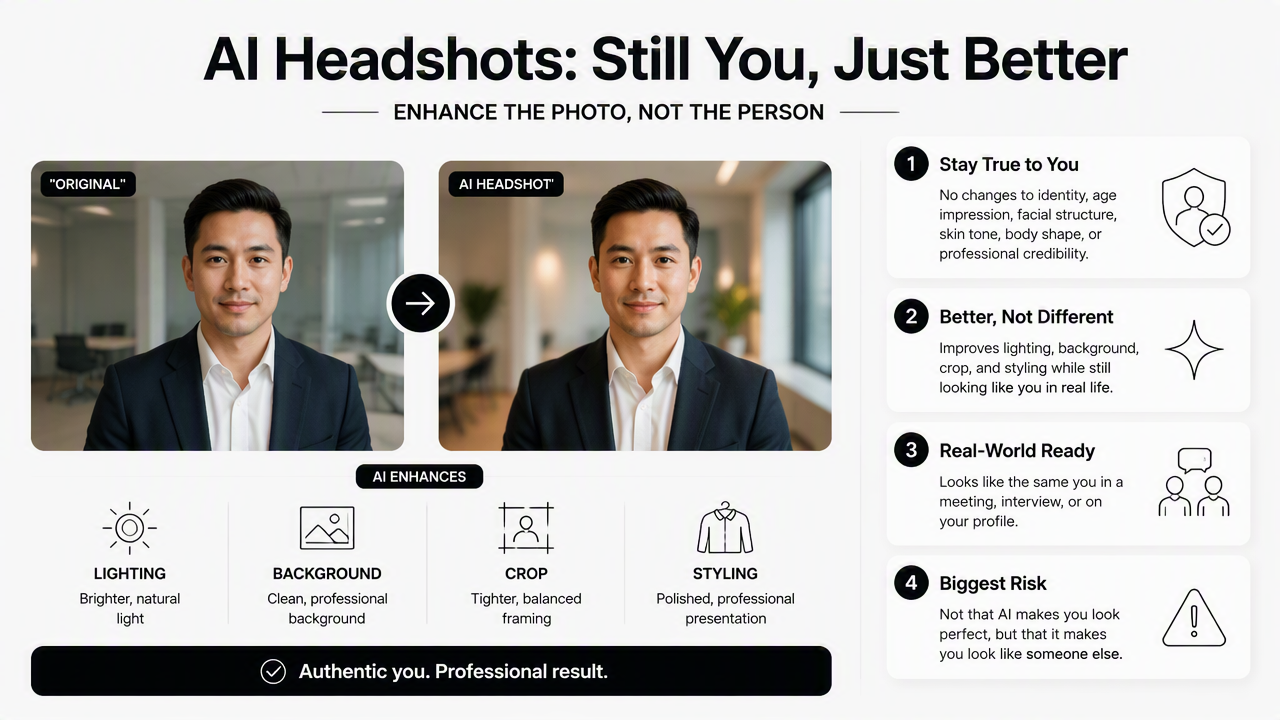
The biggest risk is not that AI makes a photo look polished. The risk is that it creates a version of someone that feels too smooth, too young, too formal, or visibly synthetic. That can hurt trust, especially in hiring, sales, consulting, dating, and creator work.
AI-media concerns are not limited to headshots. The RAND primer on AI, deepfakes, and disinformation examines how synthetic content affects public trust, which makes realistic and honest representation a smart standard for profile images.
Authenticity checks before publishing
- Identity match: the image should still look like the person on a video call.
- Expression match: the smile or neutral look should feel natural, not forced.
- Age match: the result should not remove all lines or signs of maturity.
- Context match: a finance profile, dating profile, and creator bio may need different tones.
- Crop match: the face should remain clear at small sizes on LinkedIn, email, and mobile apps.
A fitness coach, consultant, or creator who relies on visual trust may also need platform-specific images. For example, a Pinterest resume headshot generator can support profiles where a clean portrait appears beside visual content.
What comes next for AI headshots in 2027?
AI headshots in 2027 will likely move toward more identity-safe editing, clearer labeling, and profile-specific image sets rather than one generic portrait. The most useful tools will generate photos that match real-world appearance, platform norms, and personal brand consistency.
The next wave will probably be less about novelty and more about trust. Recruiters, clients, followers, and matches care whether the image feels accurate. Tools that over-edit faces may lose ground to tools that preserve identity and offer restrained styling.
The future of AI headshots is not perfect beauty; it is believable presence across many digital profiles.
For people who dislike taking photos, that shift is positive. A single low-stress upload session could produce a LinkedIn crop, a resume image, a newsletter bio, and a casual profile option. With Looktara, the appeal is this practical range: one source-photo set can support several public-facing contexts without repeated posing sessions.
Buying checklist for 2026 and 2027
| Decision factor | Good sign | Poor sign |
|---|---|---|
| Upload effort | Clear guidance and flexible photo inputs | Requires studio-like source photos |
| Realism | Looks like the same person | Face, age, or skin texture changes too much |
| Use cases | LinkedIn, resume, newsletter, creator, dating options | One generic corporate style |
| Privacy | Clear photo-handling language | Vague storage or reuse terms |
| Editing control | Easy selection and light refinements | Endless prompts and confusing settings |
A person choosing the best AI headshot generator for people who hate taking photos should start with the least stressful use case, usually LinkedIn or a resume, then expand to creator and business profiles after a realistic image is selected.
FAQ
Are AI headshots acceptable for LinkedIn?
AI headshots are acceptable for LinkedIn when the image looks realistic, current, and professional. The safest choice is a clean portrait that matches the person's real appearance and would not surprise a recruiter or client during a video call.
How many photos are needed for a good AI headshot?
Most AI headshot workflows perform better with several clear photos rather than one perfect selfie. A mix of recent front-facing and angled images gives the model more information about face shape, expression, hair, and lighting.
Can AI headshots work for dating apps?
AI headshots can work for dating apps when they stay natural and do not look like corporate portraits. A dating profile usually needs warmth, approachability, and authenticity more than a formal blazer or studio background.
What is the fastest way to update a professional profile photo?
The fastest path is to gather recent phone photos, remove blurry or heavily filtered images, generate several AI options, then choose the one that looks most like the person in normal conversation. Visit looktara.com to create profile-ready options with less posing pressure.
Conclusion
The right AI headshot tool should make professional photos feel less like a performance and more like a practical profile update. For camera-shy users, the winning formula is simple: realistic outputs, easy uploads, multiple choices, and honest identity preservation. Start with clear existing photos, generate a small set of options, compare them at mobile size, and publish the image that feels credible across LinkedIn, resumes, newsletters, and public profiles. For a low-pressure place to begin, Looktara is a strong first step.
Generated by EarlySEO.com