
TL;DR
For AI headshot source photos, start with an eye-level camera roughly 1.2 to 2 metres away, then choose a lens or crop that frames the face clearly. A genuine telephoto camera can help with framing, but camera distance controls facial perspective. Capture sharp, lightly processed originals and check the generator's upload requirements.
A longer lens doesn't fix facial perspective unless the camera moves farther from the face. Choosing a camera app focal length for AI headshot source photos therefore starts with camera position, not a zoom button or corrective filter.
For LinkedIn profiles, business websites, and creator portraits, the goal is a clear record of the subject's appearance. An eye-level phone, soft light, and consistent framing make a practical starting point for an AI headshot workflow.
Looktara is an option for creating AI-generated personal imagery from source photos. A carefully captured reference set gives that process a useful foundation.
Focal length: The optical measurement, expressed in millimetres, that describes how strongly a lens converges or diverges light. 35mm-equivalent focal length describes comparable framing across cameras with different sensor sizes.
Table of Contents
Why does camera distance matter more than zoom?
Camera distance matters more than zoom because perspective depends on the camera's position relative to the face. Close cameras make nearer features appear larger relative to farther features. Moving back reduces those differences; selecting a longer focal length then restores tighter framing without returning the camera to selfie distance.
The nose-to-ear relationship explains the effect
A close camera sees the nose from proportionally nearer than the ears. That difference can make the centre of the face look more prominent, especially in a tightly framed selfie.
A simple illustration uses hypothetical distances, not measured outcomes: if the nose is 30 centimetres from the camera and the ears are 40 centimetres away, the depth difference is large relative to camera distance. At 150 and 160 centimetres, the same depth difference is proportionally smaller.
Key insight: Moving the camera changes perspective. Zooming or cropping from the same position mainly changes framing.
A corrective filter modifies an existing image rather than changing the original viewpoint. For source photography, moving the phone is the cleaner starting point because it records different proportions directly.
A same-position test separates framing from perspective
A controlled comparison makes the distinction visible without special equipment.
- Keep the subject and camera stationary, then capture at
1xand2x. - Crop the wider image to match the tighter frame and compare facial proportions.
- Move the camera farther away, reframe, and capture another image.
The first pair should have broadly similar perspective, allowing for different lens rendering and phone processing. The farther-away image is the one that changes the viewpoint.
Which phone focal length works best for source photos?
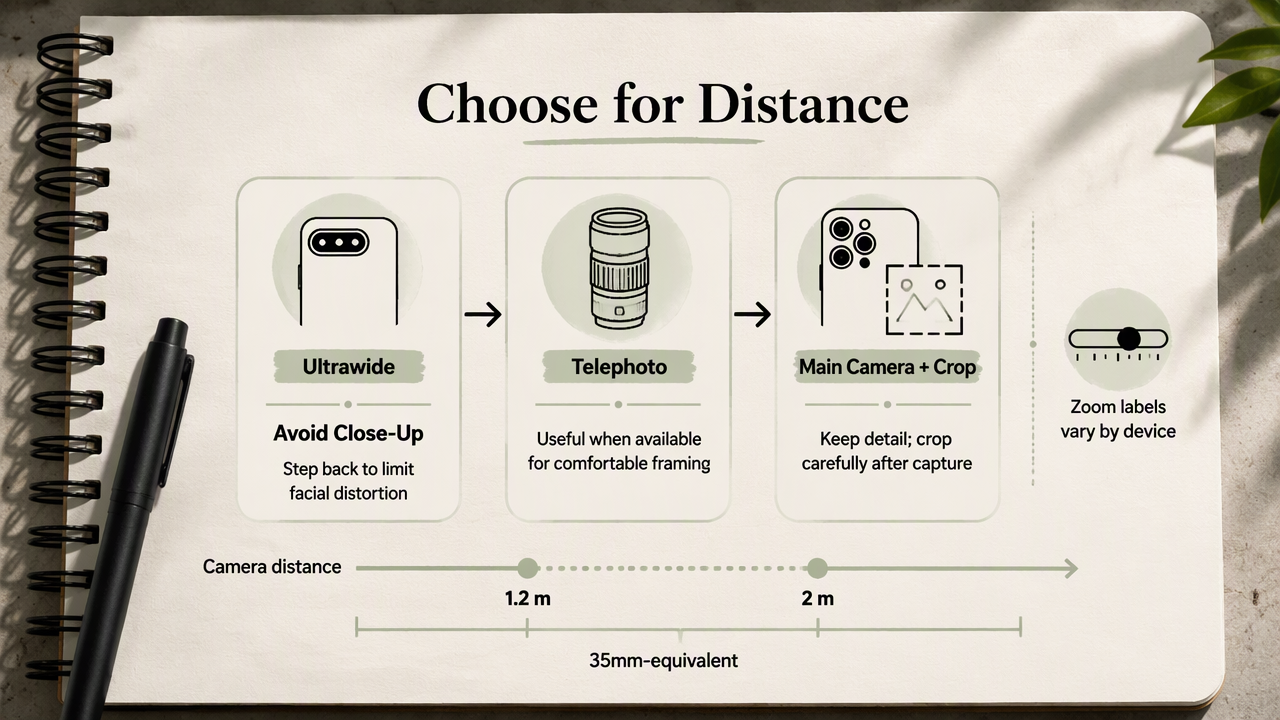
The best phone focal length for source photos is one that provides clear facial detail from a comfortable camera distance. A genuine telephoto option is useful when available, but a main camera with careful cropping can also work. Treat zoom labels as device-specific controls, not universal portrait settings.
Phone lens options compared
Lens choice should support the shooting distance rather than dictate a close camera position. The equivalent focal lengths below are illustrative ranges, not specifications for every phone.
| Camera option | Typical framing category | Practical source-photo use |
|---|---|---|
Ultrawide, often 0.5x |
Very wide field of view | Usually unnecessary for a single-person reference |
Main camera, often 1x |
Wide, often around 24-28mm equivalent | Useful from farther away, with room to crop |
2x setting |
Optical, sensor crop, or digital zoom | Check the phone's implementation and image detail |
| Dedicated telephoto | Often around 50-85mm equivalent or longer | Useful for tighter framing at greater distance |
These ranges are practical photography guidance, not an experimentally established optimum for AI headshots. No supplied study validates one focal length across headshot generators.
Equivalent millimetres and zoom labels mean different things
A 2x button describes magnification relative to a phone's reference camera, not a fixed focal length. Different devices can reach that view through different hardware or processing.
The physical focal length recorded in photo metadata may also look much shorter than the advertised equivalent. Small phone sensors require shorter physical lenses for comparable framing. When comparing devices, check 35mm-equivalent focal length, where available.
A dedicated telephoto camera isn't automatically the best choice indoors. If its image looks soft or noisy, a well-lit main-camera image from the same distance may retain more useful detail.
How should a phone be set up for AI headshots?
- Place the phone at eye level, roughly 1.2 to 2 metres away as a starting point.
- Face soft window light.
- Select the clearest suitable camera.
- Frame the head and upper torso.
- Use a timer or remote shutter.
- Check sharpness and preserve the original files.
Distance and lighting come before tight framing
The suggested distance is a practical starting range, not a universal requirement. Room size, lens choice, and the generator's requested framing determine the final setup.
A tripod, stable shelf, or helper makes that distance easier to maintain. Place the phone near eye height and keep the subject's face near the centre of the image. Start with a little space above the head and around the shoulders.
Soft window light can provide even illumination. Turn the subject slightly if one side of the face becomes too dark, and check that the eyes remain clearly visible. A simple background makes inspection easier.
A short capture check protects useful detail
A source set benefits from clear originals and deliberate variation rather than many near-identical frames.
- Clean the lens before shooting.
- Tap the face to set focus, where the camera app supports it.
- Capture a front-facing view and modest left and right turns, if requested.
- Keep expressions natural and consistent with the intended professional image.
- Inspect the eyes, hairline, glasses, and facial edges at full size.
- Transfer original files instead of screenshots or messaging-app copies.
Standard photo mode is a sensible starting point. Portrait mode can introduce artificial blur around hair or glasses, while beauty settings can change facial detail. Camera-app controls vary in 2026, so check the saved image rather than assuming a setting guarantees quality.
The finished reference set should show the same person clearly across several useful views, with steady lighting and enough detail for the intended upload.
How Looktara handles this
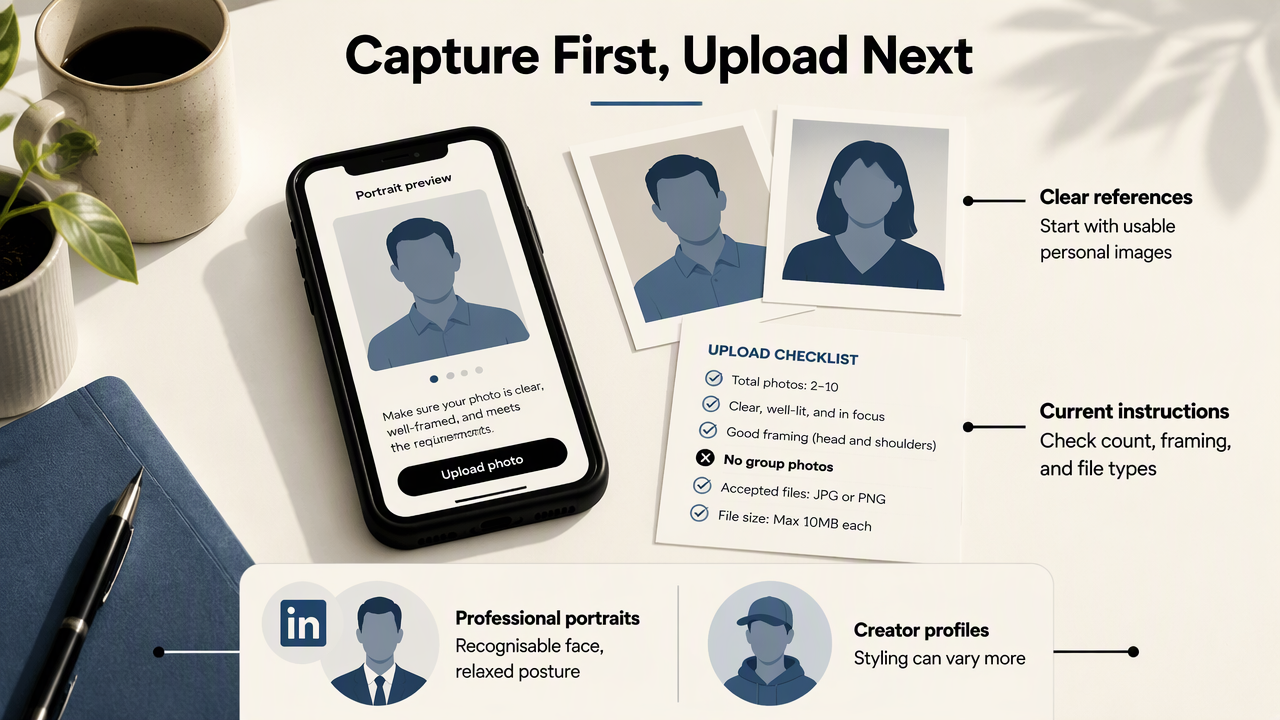
Looktara fits after the source-photo capture stage, where personal reference images support AI-generated imagery. The practical approach is to capture clear references first, then follow the platform's current upload instructions for image count, framing, file types, and any other stated requirements.
Professional use determines the reference-photo brief
The intended profile determines which expressions and presentation deserve priority. LinkedIn and résumé portraits generally call for a recognisable face, comfortable posture, and a professional expression. Creator profiles may allow a wider range of styling.
Fitness professionals preparing career imagery can explore the fitness LinkedIn résumé headshot generator as a relevant next step.
Capture brief: Record identity clearly first; choose the intended professional presentation during the generation workflow.
Published AI research supplies context, not camera settings
The supplied scholarly sources discuss broader AI capabilities rather than phone portrait optics. Anantrasirichai and Bull's 2021 review of AI in creative industries provides background on creative applications.
The 2024 Gemini 1.5 technical report concerns multimodal understanding and long-context processing. Neither source establishes an ideal selfie distance or validates headshot accuracy. Camera recommendations here are practical capture guidance, not findings attributed to those papers.
FAQ: Phone lenses and AI source-photo choices
The most useful source-photo decisions concern perspective, visible detail, and the generator's stated requirements.
Is a 50mm-equivalent lens required for AI headshots?
A 50mm-equivalent lens isn't a universal requirement for AI headshots. It can provide convenient framing from a moderate distance, but the supplied research doesn't establish a mandatory focal length. A clear main-camera photograph taken from farther away may be suitable, provided it meets the chosen service's framing and resolution requirements.
Does digital zoom change facial perspective?
Digital zoom doesn't change facial perspective when the camera stays in the same position. It crops or processes the captured view. Moving the camera changes the relative distances to facial features. Digital zoom can still help preview framing, but its effect on fine detail depends on the phone and zoom level.
Can the front camera produce suitable source photos?
A front camera can produce suitable source photos if the face is sharp, evenly lit, and photographed from sufficient distance. A stand and timer can help avoid arm-length framing. The rear camera is worth testing because it may offer better detail or lens choices, but the saved image should decide.
Should source photos be edited before upload?
Source photos should generally retain the subject's natural facial features. Modest exposure or white-balance adjustments may help visibility, but face reshaping and heavy smoothing change the reference. Preserve untouched originals and check the service's instructions before cropping, resizing, or applying edits. Clearly visible identity matters more than a polished filter.
Conclusion
A strong capture session starts with an eye-level camera, soft light, and enough distance for balanced facial perspective. Select the clearest lens, take a small set of distinct views, and inspect the originals before upload.
For the next step with Looktara, visit looktara.com and check the current source-photo requirements. Match the prepared images to those instructions before starting a professional portrait session.
Generated by EarlySEO.com