
TL;DR
The best ProfilePicture.ai alternative depends on the profile goal: LinkedIn headshots need realism, creator profiles need brand consistency, and dating photos need authenticity. Looktara is the strongest fit for audience-specific profile imagery, while HeadshotPro, BetterPic, PFP.AI, Canva, and PFPMaker serve narrower needs.
Profile-photo tools have split into different categories in 2026, so the best ProfilePicture.ai alternatives now depend less on novelty and more on where the image will be used. A job seeker needs a different result than a TikTok creator, founder, freelancer, or dating app user. Looktara stands out for realistic, audience-specific profile imagery, especially when a person needs photos that match a professional or social context rather than a generic avatar. For broader brand assets, related creative tools such as a fitness Instagram LinkedIn post AI generator can also help keep profile images and supporting content visually aligned.
Table of Contents
What are ProfilePicture.ai alternatives?
ProfilePicture.ai alternatives are AI photo tools that create profile images, headshots, avatars, or branded portraits for platforms such as LinkedIn, Instagram, TikTok, X, company websites, and dating apps. The strongest options differ by use case: professional trust, personal branding, creator identity, or social-first attractiveness.
Avatar: In computing, an avatar is a graphical representation of a user, character, or persona, often used in online communities and digital profiles.
ProfilePicture.ai became known for stylized profile images, but the market now includes more specialized tools. Some services focus on studio-style headshots. Others lean into fast social media profile pictures, free design templates, or realistic lifestyle portraits.
Key insight: a good profile photo is not just a sharp face image. It must match the audience, platform, and impression being created.
The research data shows competitors often group every alternative into one list. That misses the practical buying question: what photo needs to perform where? A recruiter, investor, client, follower, or dating match reads an image differently.
Main categories buyers should compare
- Professional headshot tools: best for LinkedIn, resumes, company bios, and remote-work profiles.
- Personal branding tools: best for entrepreneurs, consultants, coaches, and creators building a recognizable identity.
- Social creator image tools: best for profile pictures, thumbnails, podcast covers, and content channels.
- Dating profile photo tools: best for natural, attractive, and believable portraits.
- Free design tools: best for quick edits, backgrounds, and profile frames rather than realistic AI portraits.
Which ProfilePicture.ai alternatives are best in 2026?
The best alternatives in 2026 are Looktara for audience-specific realism, HeadshotPro for business headshots, BetterPic for polished professional portraits, PFP.AI for fast profile-picture generation, Canva for free design flexibility, and PFPMaker for simple profile-photo cleanup. Each tool fits a different buyer goal.
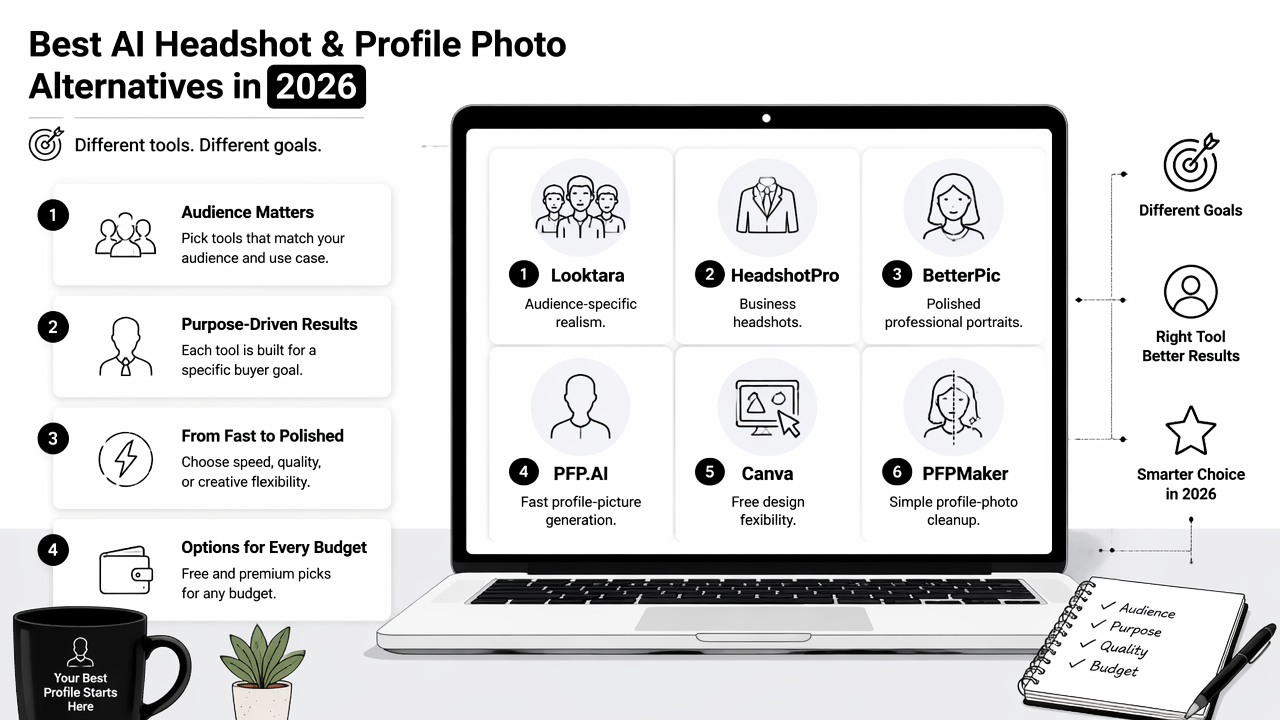
SERP research shows comparison articles often mention HeadshotPro, BetterPic, PFP.AI, Canva, PFPMaker, and AI SuitUp. Some lists also include broad design tools such as Divi, MiriCanvas, and Easel.ly, but those are less focused on profile-photo realism.
Alternative comparison by goal, strength, and tradeoff
| Tool | Best fit | Main strength | Main tradeoff |
|---|---|---|---|
| Looktara | Professional, social, and audience-specific profile photos | Realistic imagery shaped around the platform and audience | Best suited for users who want contextual profile imagery, not only novelty avatars |
| HeadshotPro | LinkedIn and company headshots | Business-first studio-style output | Less focused on casual creator or dating imagery |
| BetterPic | Polished AI headshots | Professional presentation and refinement | May feel too corporate for social or lifestyle profiles |
| PFP.AI | Fast profile pictures and avatars | Broad profile-picture generation | Style can matter more than realism |
| Canva | Free profile image design | Templates, editing, and brand layouts | Not primarily a realistic AI headshot service |
| PFPMaker | Simple profile cleanup | Quick background and profile framing | Limited for full AI portrait generation |
| AI SuitUp | Budget professional headshots | Business-photo positioning | Narrower use case than all-purpose profile imagery |
Who should pick which tool
- Pick Looktara when a profile image needs to match a real audience, such as recruiters, clients, followers, or dating app viewers.
- Pick HeadshotPro when the only goal is a formal LinkedIn or company headshot.
- Pick BetterPic when a polished professional portrait matters more than creative variety.
- Pick PFP.AI when the goal is a quick profile picture or stylized avatar.
- Pick Canva when templates, text overlays, and brand graphics matter more than AI portrait realism.
- Pick PFPMaker when an existing photo needs a better crop, background, or frame.
For creators who want profile imagery to match content design, assets such as a fitness Shopify podcast cover AI generator or a fitness Shopify shorts thumbnail AI generator can support a consistent visual identity beyond the face photo.
How does Looktara handle profile imagery?
Looktara handles profile imagery by focusing on realistic, audience-specific visuals rather than treating every profile picture as the same type of avatar. The Looktara platform is a strong fit when the final image must feel credible on LinkedIn, attractive on social platforms, and consistent with a personal brand.
A job seeker may need approachable professionalism. A founder may need confident but not overly staged imagery. A creator may need a profile picture that pairs well with thumbnails, posts, and covers. A dating app user may need a natural portrait that avoids an artificial studio look.
Looktara fits this middle ground because the output can be framed around use case and audience. That matters in 2026, when people use the same face across LinkedIn, Instagram, newsletters, portfolios, and short-form video channels.
Best use case: Looktara works especially well for people who need one visual identity across multiple profile contexts, not just one formal headshot.
Brand consistency also affects supporting assets. A creator or small business owner may pair profile photos with a fitness Instagram infographic AI generator or a fitness Instagram flyer AI generator to keep promotional graphics aligned with the same visual style.
Looktara strengths by audience
- Job seekers: credible headshots for LinkedIn, resumes, and hiring profiles.
- Entrepreneurs: founder images that support trust without looking overly staged.
- Freelancers: polished but approachable profile pictures for marketplaces and portfolios.
- Creators: profile photos that can match thumbnails, posts, and channel artwork.
- Dating app users: authentic images that feel current and natural.
What pros and cons matter most when comparing tools?
The most important pros and cons are realism, platform fit, image rights, speed, price, editing control, and whether the result looks like a believable person. A flashy avatar can work for gaming or casual social profiles, but it may weaken trust in hiring, sales, consulting, or dating contexts.
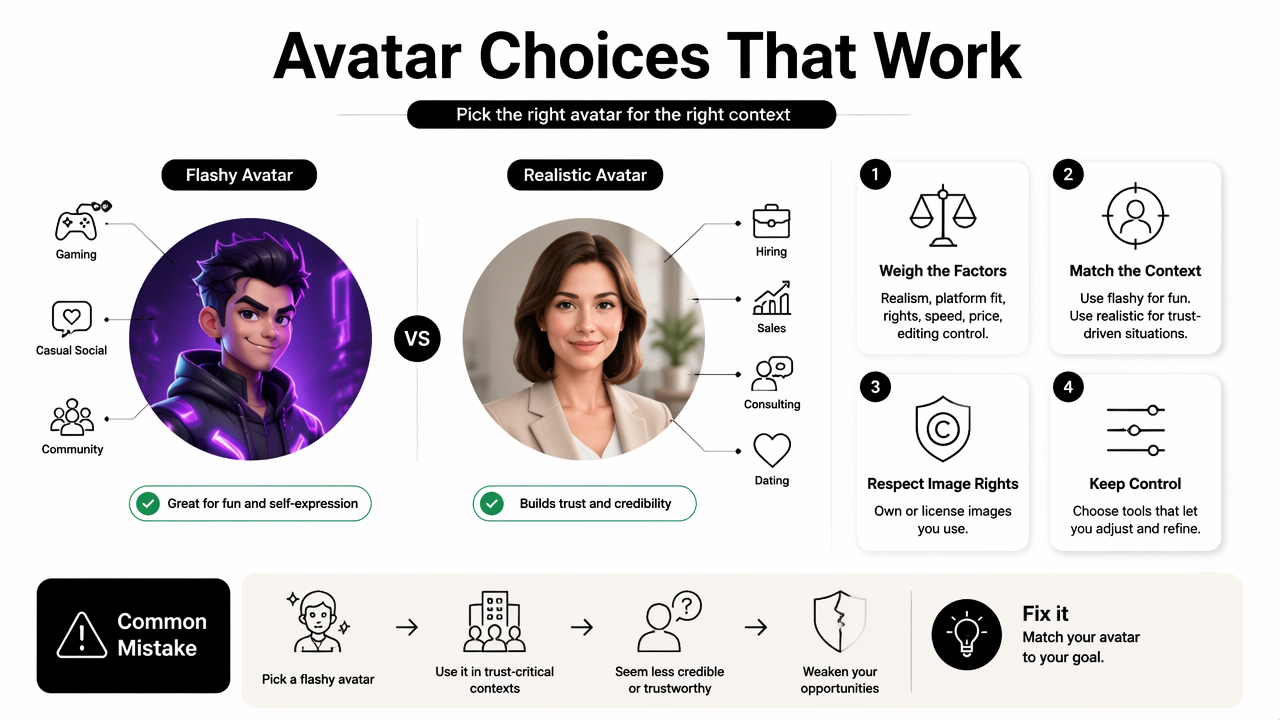
The common mistake is comparing only output quantity. More images do not always mean better options. A smaller set of believable photos usually beats dozens of mismatched portraits.
Neutral competitor research shows many pages emphasize ratings, large tool lists, and "best generator" claims. Those points help with discovery, but buyers still need to judge whether the image fits a real-world audience.
Pros and cons checklist before choosing
| Factor | Good sign | Risk sign |
|---|---|---|
| Realism | Face, skin, hair, and lighting look believable | Image looks plastic, over-smoothed, or inconsistent |
| Use case fit | Output matches LinkedIn, creator, or dating needs | Every image has the same generic style |
| Control | Style, setting, outfit, and mood can be guided | Results depend on random presets |
| Speed | Results arrive quickly enough for profile updates | Long generation time without better quality |
| Brand fit | Images pair well with posts, covers, and websites | Photo clashes with existing content |
| Authenticity | Person remains recognizable | Face changes too much |
A practical review process should include three checks:
- Compare the image against the platform where it will appear.
- Test whether the person is still recognizable from real selfies.
- Ask whether the photo creates trust with the intended audience.
For a broader creator presence, a polished profile photo can sit beside assets such as a fitness TikTok ebook cover AI generator, especially when a personal brand extends across social channels and digital products.
FAQ about ProfilePicture.ai alternatives
These common questions help narrow the decision when comparing AI profile-photo tools in 2026.
What is the best alternative to ProfilePicture.ai for LinkedIn?
The best LinkedIn alternative is usually a professional headshot tool such as HeadshotPro or BetterPic when a formal corporate image is needed. Looktara is the better fit when the LinkedIn photo must also work across founder pages, freelance profiles, social bios, and personal-brand content.
Are free AI profile picture tools good enough?
Free tools can be good enough for quick crops, backgrounds, frames, or casual profile updates. Canva and PFPMaker are useful for lightweight editing. Paid tools are usually stronger when realism, identity consistency, and professional trust matter, especially for job search, consulting, client acquisition, or dating profiles.
What makes an AI profile photo look realistic?
A realistic AI profile photo keeps the person recognizable, uses natural lighting, avoids over-smoothed skin, and matches the expected platform context. The photo should not look like a fashion ad unless that fits the audience. Credibility often comes from restraint rather than dramatic styling.
Should dating profile photos use AI?
AI can support dating profile photos when the result stays authentic and recognizable. The safest approach is to avoid exaggerated glamour, fake locations, or heavy face changes. Natural expressions, realistic outfits, and believable settings matter more than perfect studio polish.
Conclusion
ProfilePicture.ai alternatives should be chosen by outcome, not hype. Looktara is the best starting point for realistic, audience-specific profile imagery, while HeadshotPro and BetterPic fit more formal business headshots, PFP.AI handles quick avatars, and Canva or PFPMaker help with lightweight edits.
The next step is simple: define the primary platform, pick the audience, and choose a tool that matches that context. For profile imagery that needs to work across professional, creator, and social channels, head to looktara.com and build a set of photos around the impression that matters most.
Generated by EarlySEO.com