
TL;DR
A school directory needs recognizable staff portraits, consistent crops, and clear publication permissions. A shared photography brief works across professional sessions, phone photos, and approved AI-assisted images; each teacher should review the final portrait before publication.
A teacher's directory photo should help a family recognize the person at the classroom door. A teacher headshot school directory project therefore needs more than attractive portraits: it needs a repeatable style, accurate staff information, and a clear approval process. For schools refreshing their websites in 2026, the practical goal is a friendly, consistent set of images that still looks like the actual staff. Looktara is an option for teachers exploring AI headshots within that school-approved brief.
Teacher directory headshot: A portrait published alongside an educator's name, role, and school contact details so families and colleagues can identify the staff member.
Table of Contents
What makes a good teacher headshot for a school directory?
A good teacher headshot for a school directory shows the educator's current appearance, keeps the face easy to recognize, and fits the school's shared visual style. A relaxed expression, simple background, and consistent crop support identification. The portrait should feel welcoming without turning a staff listing into a promotional image.
Recognition matters more than elaborate styling
A small directory thumbnail has limited room for detail. A head-and-shoulders portrait usually gives the face more space than a full-body photograph. Comfortable posture and an expression that feels natural to the teacher are better starting points than a rigid pose.
Clothing should suit the school's normal working environment. A plain shirt, blouse, cardigan, or jacket can keep attention on the face. Formal business clothing isn't necessary unless it matches the school's expectations. Staff should retain everyday features, including glasses and religious headwear.
A shared brief keeps different portraits coherent
Consistency comes from matching the presentation, not making every teacher look identical. A short brief can define these elements:
- Framing: Head and shoulders, with room above the hair.
- Background: One agreed neutral color or uncluttered setting.
- Expression: Relaxed and approachable, without requiring identical smiles.
- Clothing: Professional everyday attire that separates from the background.
- Editing: Light adjustments that preserve recognizable features.
For example, a school could request vertical portraits against a light-gray wall, then crop every approved image into the same directory template. Individual clothing and expressions can still convey personality.
How should teachers prepare and photograph directory headshots?
- Confirm the school's portrait brief and submission deadline.

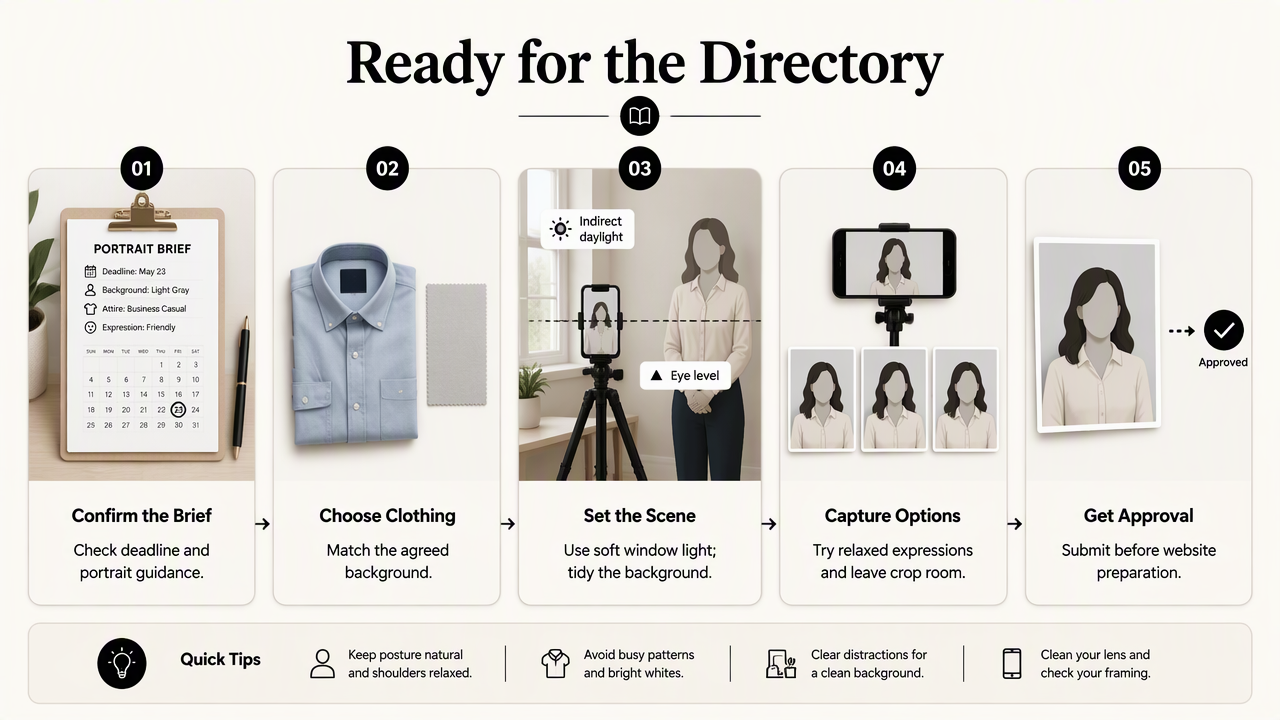
- Choose comfortable clothing that suits the agreed background.
- Arrange soft, even light and a tidy setting.
- Position the camera at eye level.
- Capture several relaxed expressions with cropping room.
- Submit the selected image for staff approval before website preparation.
A simple phone setup can support consistent results
A phone portrait is a practical option when a school can provide clear instructions and someone to take the picture. Place the teacher near a window with indirect daylight, rather than under mixed ceiling lights. Leave enough distance from the background to keep shadows from becoming distracting.
The photographer should step back and frame the shoulders rather than holding the camera close to the face. The teacher can turn slightly toward the camera while keeping the eyes directed toward the lens. Capture both a gentle smile and a neutral-friendly expression for review.
Compare capture methods by the school's workload
| Method | Best fit | Main planning requirement |
|---|---|---|
| Professional photographer | A coordinated staff portrait day | Schedule staff and share the directory brief in advance |
| School-led phone photography | New hires and smaller updates | Use the same location, framing, and lighting instructions |
| Approved AI-assisted portrait | Teachers exploring a digital image-creation option | Confirm school acceptance and arrange identity review |
The best method is the one the school can repeat for absent staff and later hires. A single portrait day may simplify the initial collection, while a documented phone setup can support replacements throughout the year.
Review the portrait at its actual display size
A photograph that looks good full-screen may feel cramped inside a small circle or square. Before approval, preview it in the actual website layout. Check that the eyes remain clear, the face isn't cut off, and the portrait works beside the teacher's name and role.
A useful review set includes the original image and the proposed directory crop. That makes framing decisions visible before publication.
How should schools publish and protect staff portraits?
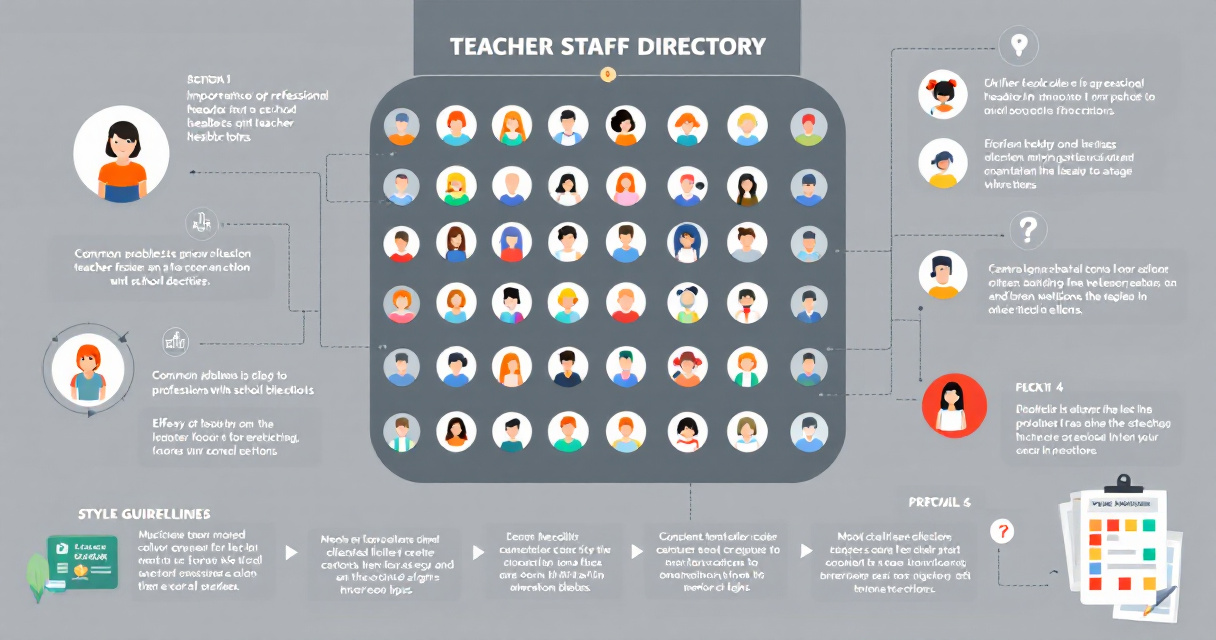
- Confirm permission for each intended publication location.
- Collect approved portraits through a school-controlled channel.
- Prepare images for the directory's actual crop and dimensions.
- Check names, roles, and accessible text.
- Publish through an authorized administrator.
- Set a process for replacements, corrections, and staff departures.
File preparation should follow the website template
There isn't one image size that fits every school directory. The website administrator should specify the required aspect ratio, minimum dimensions, file format, and upload limit. Keep an approved master image separately so later changes don't depend on an already compressed thumbnail.
A school might adopt filenames such as maya-patel-science.jpg to support administration. File naming should follow local policy, especially when public staff listings use abbreviated names.
- Test square, circular, and mobile crops where applicable.
- Compress the publication copy without making facial details blurry.
- Check whether adjacent text already identifies the teacher before adding repetitive alternative text.
- Confirm that the image links to the correct staff profile.
Permission should name the publication locations
Permission for a staff directory shouldn't silently become permission for every communication channel. Public websites, parent portals, newsletters, and social media can have different audiences. Schools should explain intended uses and provide a contact for questions or replacement requests.
The supplied 2021 review of commercial proctoring systems in academic online exams addresses a different educational technology setting, not directory portraits. It shouldn't be treated as evidence for a particular staff-photo consent policy; school procedures require their own review.
A directory update is complete only when the portrait, staff details, publication permission, and replacement process are all confirmed.
How Looktara handles this
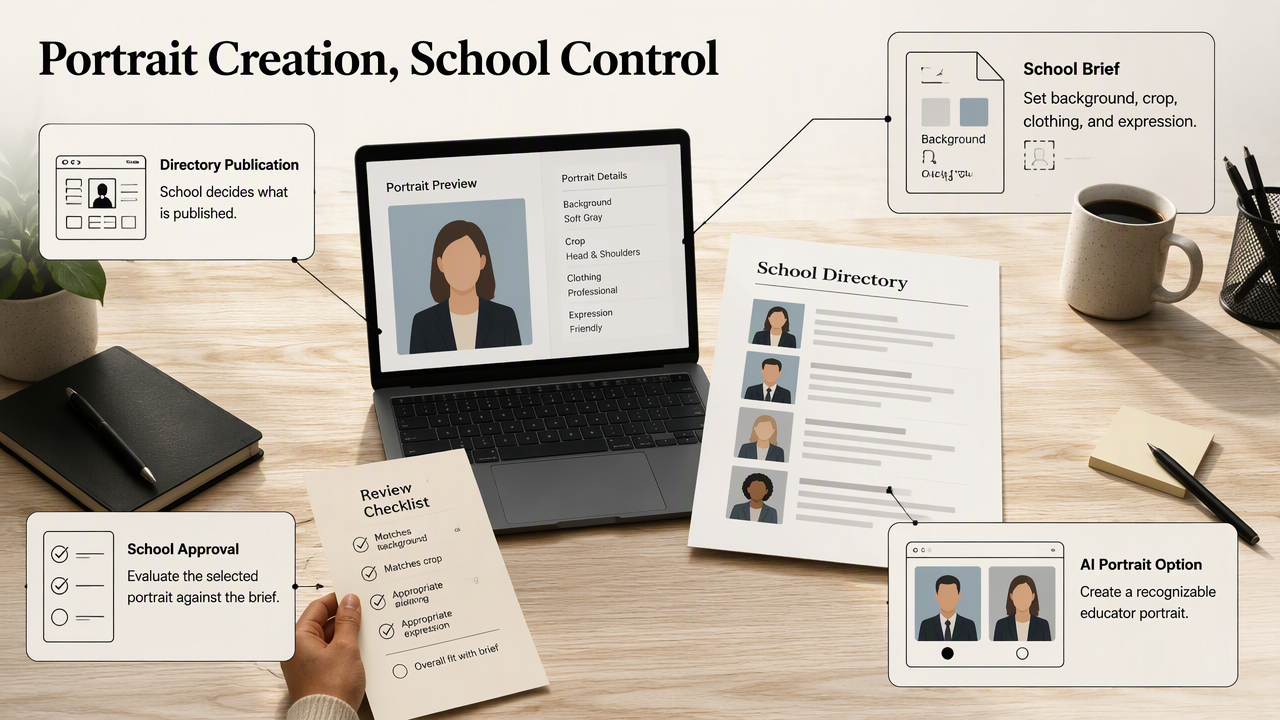
Looktara offers an AI headshot option for the portrait-creation stage, while the school remains responsible for its visual brief, image approval, and directory publication. The useful starting point is a clear request for a recognizable educator portrait, rather than a broad request for a polished professional image.

Give AI-assisted portraits a school-specific brief
A teacher considering the Looktara platform can first gather the school's preferred background, crop, clothing guidance, and expression requirements. Those details create a concrete target for evaluating portrait options. Information about the service is available at looktara.com.
A school-focused brief can include:
- A simple background matching existing staff portraits.
- Everyday professional clothing appropriate to the educator's role.
- A relaxed expression suitable for parent-facing communication.
- Enough space around the head for the website's crop.
These are recommended evaluation criteria, not a guarantee that a particular service supports every requested control.
Choose the workflow that fits the approval process
Teachers with a coordinated staff photography day should generally follow that shared process. Phone photography suits schools that can maintain a repeatable setup. AI-assisted creation fits consideration when the school permits it and the teacher can approve a recognizable result.
The 2024 Gemini 1.5 technical report concerns multimodal understanding across long contexts. It doesn't establish the accuracy of generated teacher portraits. General AI research should not replace image-by-image checks of facial features, glasses, hair, and other identifying details.
Teacher directory headshot FAQs
Teacher directory decisions are easiest when the school provides one written standard for appearance, submission, and approval.
A short staff-photo brief can answer recurring questions before individual portraits reach the website administrator.
Can teachers use selfies for a school directory?
Teachers can submit selfies if school policy allows them, but a photo taken by another person is usually easier to frame consistently. Close camera placement can make matching other staff portraits harder. A timer, stable phone position, eye-level camera, and indirect daylight offer a more repeatable setup than an arm's-length photograph.
Should every teacher wear the same color?
Teachers don't need identical clothing unless the school specifically requests it. Shared framing and backgrounds can create consistency while allowing individual style. A small range of suggested colors may help staff prepare, but the brief should accommodate religious clothing, accessibility needs, and the everyday dress expectations of different teaching roles.
How often should schools replace teacher headshots?
Schools should replace portraits when a teacher's appearance changes enough to affect recognition, when the image no longer fits the directory template, or when the staff member requests an approved update. An annual directory review can also check names, roles, contact details, and departed employees without requiring every teacher to be photographed again.
Are AI-generated headshots suitable for school websites?
AI-generated headshots can be considered when school policy permits them and the finished image accurately represents the teacher. Approval should include comparison with the person's current appearance and confirmation of permitted publication uses. Schools should also review the service's current terms and data-handling information before staff upload source photographs.
Conclusion
A teacher headshot school directory refresh should start with a one-page brief and a small pilot group. Photograph or prepare a few portraits, test them in the live template, and confirm the approval process before collecting the full staff set. Teachers considering Looktara can bring that agreed brief to the portrait-selection stage, keeping recognition and school consistency as the final standards.
Generated by EarlySEO.com